🎬 AI Animation Masterclass · Level 1 · Online or Face-to-Face

Create AI Animation
with Flow, Suno
& CapCut

A 3-hour power-packed session where you learn everything you need to know about Google Flow — including the new Google Omni feature and Agent mode — how to create compelling background music for your movies, and the key features of CapCut to bring it all together through video editing.

Upcoming dates
3 hours online · 3.5 hours face-to-face
Zoom or face-to-face, Singapore
100% practical & hands-on
PrerequisiteA Google AI Pro subscription is required for this course — it gives you access to Google Flow. From US$19.99/mo · cancel anytime.

Where this class sits

Two ladders, two levels each. Level is what you can make. Format is how you learn it — pick that separately below.

Pick a date that suits you

Straight from the booking system, so what you see is what is open — online and face-to-face. Choose a date and it comes with you: you set up your account on the way, and that date is waiting for you when you land. All times are Singapore time.

See what's possible

Real videos created with Google Flow, Suno and CapCut — the exact workflow you'll learn. Press play to watch right here.

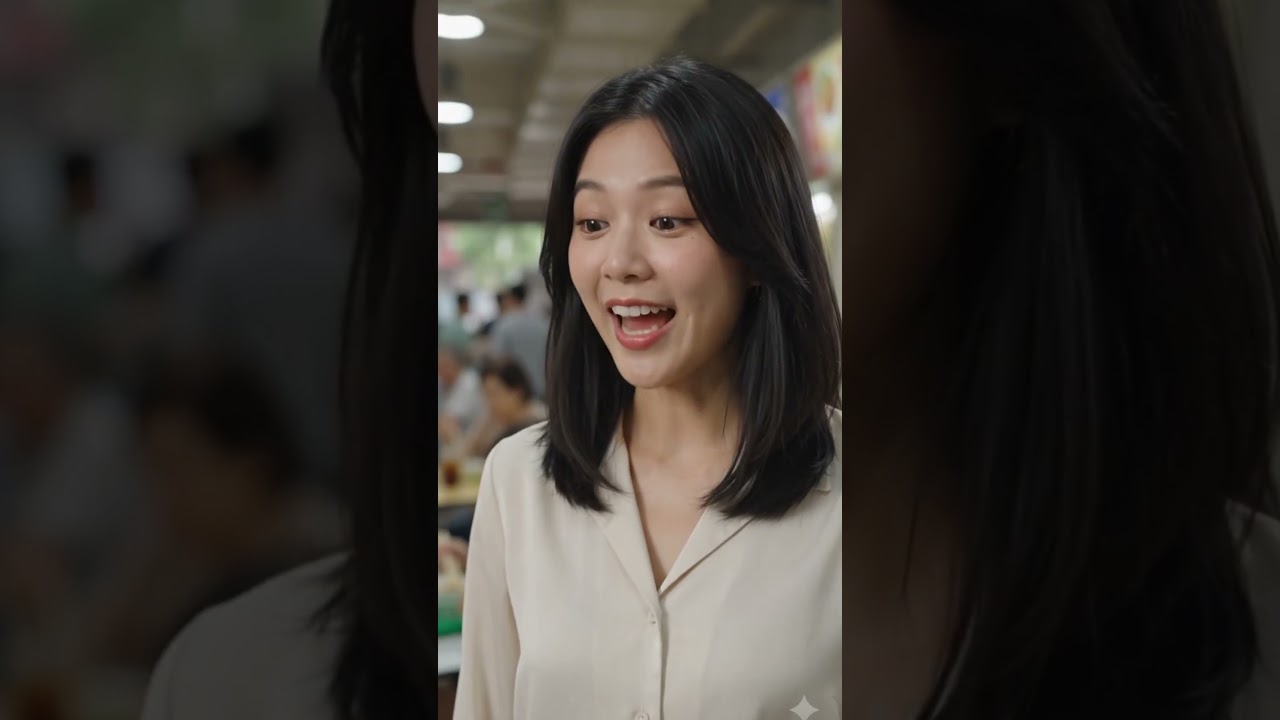
AI animation vertical short sample
AI Short · Made with Flow
From a single prompt to a finished scene
A social-ready vertical clip generated end to end with Google Flow — the exact kind of video you'll create in the masterclass, scored with Suno and finished in CapCut.
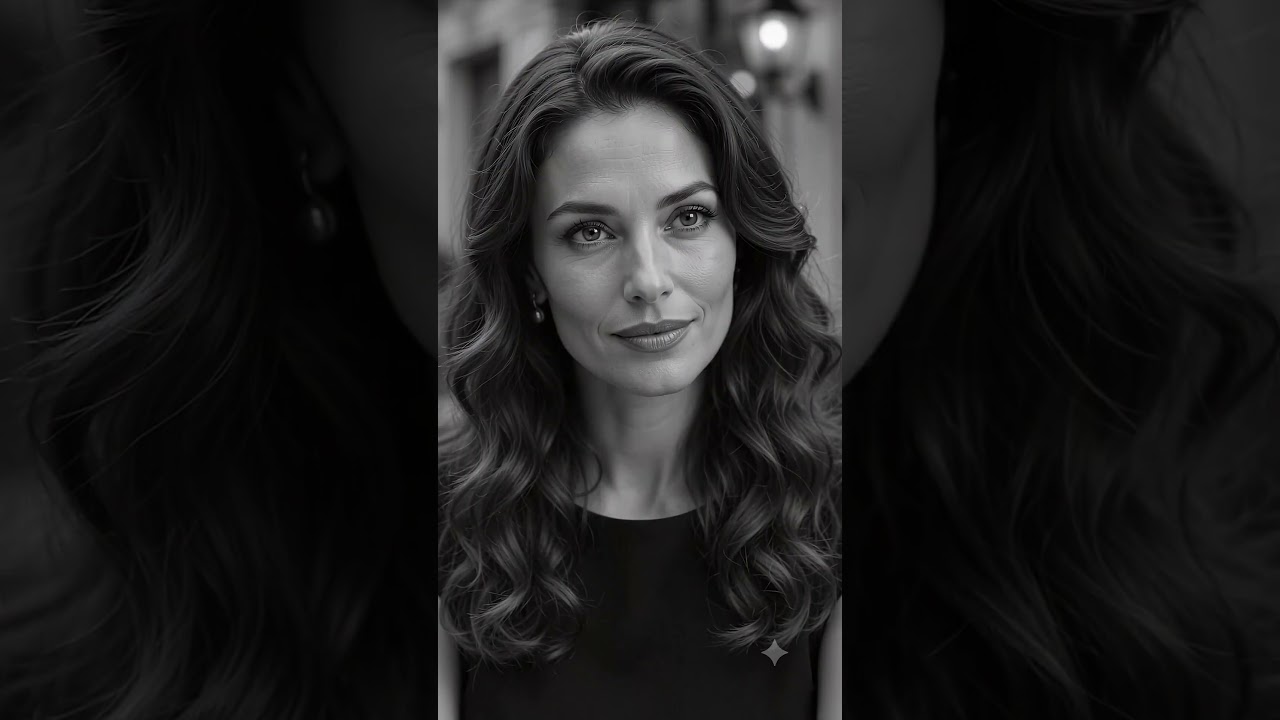
AI animation vertical short sample
AI Short · Perfume Advert
Rose Éternelle — a classic B&W perfume ad
Proof of the workflow's range: a timeless, black-and-white fragrance commercial created with Google Flow, scored with Suno and edited in CapCut. AI can craft genuinely classy adverts — not just quick clips.
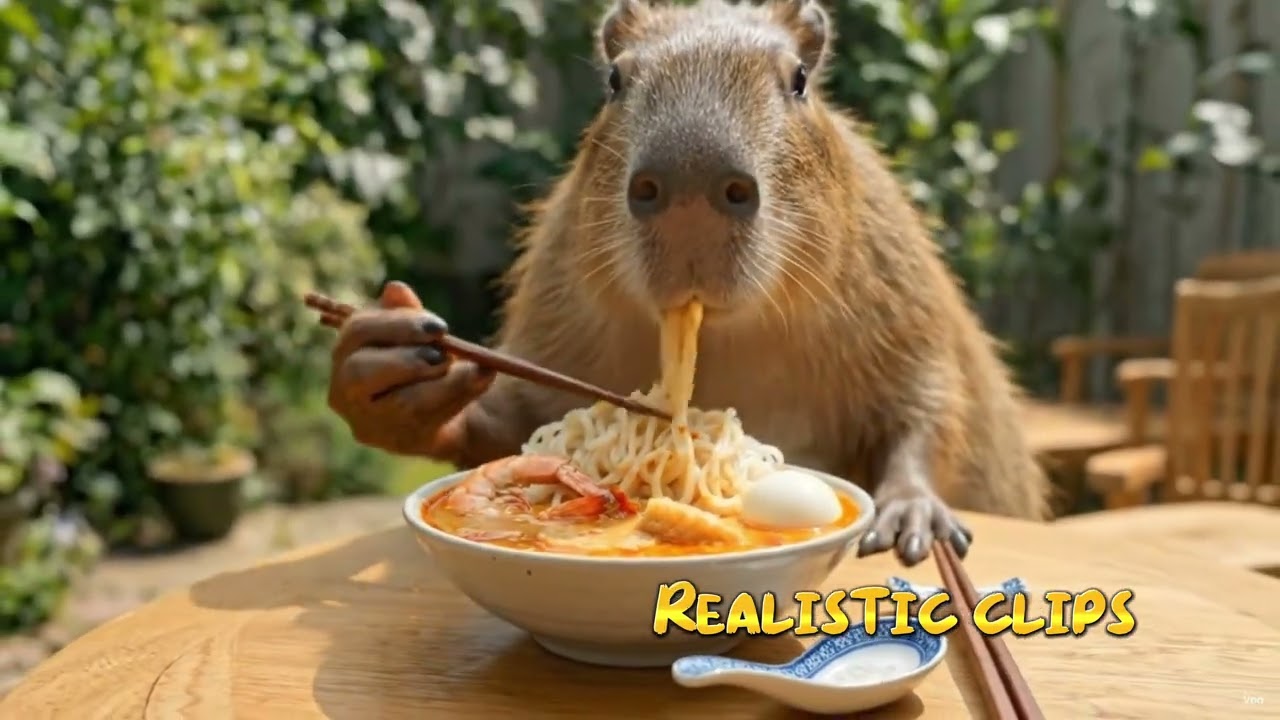
Student-created AI video sample
See what is possible
Made by students with Flow
AI videos produced using Google Omni, Avatar and more. The same tools you can learn in this masterclass and start producing in a single session.
Horror mini-video AI sample
Horror mini-video
Create your own avatar — star in your own movie
A short horror film showing how you can build your own avatar and feature in the story. Music generated by Suno and edited in CapCut.

Three powerful AI tools · One complete workflow

🎬
Google Flow
Google's AI video generation suite — including the new Google Omni feature and Agent mode. Turn text prompts into cinematic clips, no camera or crew required.
🎵
Suno
Create compelling background music and full original soundtracks to accompany your movies — in seconds. Give every video a unique sound.
✂️
CapCut
The world's most popular video editor — now with powerful AI features. Cut, caption, enhance and export in minutes.

What you'll walk away with

Practical, hands-on skills you can use the same week. No prior video editing or design experience needed.

Master Google FlowLearn everything about Google's powerful AI filmmaking platform — built on the Veo model — from cinematic camera controls and the multi-shot Scene Builder to the new Omni multimodal editing and Agent mode for hands-free, multi-step video creation.
Prompt engineering for videoWrite prompts that produce consistent, high-quality AI video clips with Google Flow.
AI music creationGenerate custom background music and full songs for your videos using Suno.
CapCut AI editing workflowUse CapCut's AI features to auto-caption, enhance, and produce polished video content fast.
End-to-end video productionCombine all three tools into a repeatable workflow to create videos from idea to export.

Who holds the reins?

That's the whole difference. In Level 1 you direct every shot yourself. In Level 2 an AI agent runs the pipeline and you approve the output. Same craft, different amount of hand-work.

Level 1 · You are here
AI Animation Masterclass
Heavy touch. You write each prompt, pick each shot, and assemble the film yourself. You learn how the craft actually works.
AI agent
Gemini Omni
Animation
Gemini Flow
Audio
Suno
Editing
CapCut
Cost to produce
$ What each finished video costs you to generate.
Level 2
AI Animation – Automation
Light touch. Claude drives the pipeline end to end — you brief it, review what comes back, and ship. Built for volume.
AI agent
Claude / ChatGPT
Animation
Higgsfield
Audio
Suno
Editing
CapCut
Cost to produce
$$ Heavier generation, so each video costs more to make.

Cost to produce is not the course fee. It's what the tools charge you to generate each finished video — Level 2 leans on heavier generation, so it costs more per film. Course fees are shown further down and are the same for both levels.

3 hours. Every minute counts.

One power-packed, hands-on session — live on Zoom with Dr. Andrew Chew. Multiple dates available throughout the year.

Hour 1
Google Flow
AI video generation
Flow fundamentalsGet oriented in Google Flow and the Veo model, and generate your first text-to-video clip.
Omni & Agent modeThe new Google Omni multimodal editing and hands-free Agent mode for multi-step scenes.
Prompting for consistencyCamera controls, the Scene Builder and prompt techniques for repeatable, high-quality shots.
Hour 2
Suno
AI music & sound
Music from a promptGenerate original background music and full songs that match the mood of your video.
Styles, vocals & structureShape genre, instrumentation and song structure to get exactly the sound you want.
Exporting your trackRender clean audio and prepare it to drop straight into your edit.
Hour 3
CapCut
Editing & export
Assembling the cutBring your Flow clips and Suno music together on the CapCut timeline.
AI editing featuresAuto-captions, enhancements and effects that polish your video in minutes.
Final export & workflowExport for any platform and lock in a repeatable idea-to-video workflow.

Learn live with Dr. Andrew Chew

Dr. Andrew Chew
Dr. Andrew Chew
Founder, Impactus Learning · NTUC Utopia Platinum Awardee 2025

Dr. Andrew Chew is an award-winning trainer who helps professionals and businesses put generative AI to work in the real world. He turns fast-moving tools like Google Flow, Suno and CapCut into practical, hands-on skills you can use the same week — no prior video, design or coding experience required. Every session is taught live, step by step, so you finish having actually created something.

3
AI tools
3h
Live session
100%
Hands-on

What students say

Google Reviews 5.0 ★★★★★
L
Lin He
July 2026
★★★★★

"I've attended the AI class taught by DR Andrew. He's a helpful, jovial instructor who is willing to teach. His class is interesting."

A
Atwood Chai
July 2026
★★★★★

"Dr.Andrew is always my best tutor in AI. Five stars is not enough"

H
hoe yang whee
July 2026
★★★★★

"Informative. Clearcut"

W
Wong WT
July 2026
★★★★★

"Learned great AI tools"

H
Hakim Razali
July 2026
★★★★★

"good session with Andrew! 👍🏽"

B
Bintu Azizan
July 2026
★★★★★

"Good sharing & training for beginners on AI. I’ve learnt using AI- Claude, Google Flow, Suno, Capcut. It was amazing. Mr Andrew is very helpful. Thank you!"

F
Fiona Leong
July 2026
★★★★★

"I’ve always enjoyed Andrew’s teaching. He’s very knowledgeable, eloquent, patient and approachable and his classes are well-paced so no one gets left behind. Most importantly, he genuinely makes an effort to share his knowledge with everyone so that everyone benefits."

M
Mary Lau
June 2026
★★★★★

"There were so many valuable takeaways packed into the session. I started with no prior knowledge, and by the end of just 3 hours, I was able to produce my own video. It was a very practical and eye-opening course, and I'm excited to explore the possibilities that this new skill can open up. Thank you, Dr Andrew, for making the learning process clear, engaging, and achievable."

J
Jane Koon
July 2026
★★★★★

"Dr Andrew Chew is a very experienced trainer and I’ve attended a few AI classes conducted by him. I’ve attended his Automation Masterclass today July 10, 2026. It’s an eye opening experience to explore Google Flow & recap CapCut and I always love to use Suno for music creation"

J
Junice Liew
June 2026
★★★★★

"Loved the AI Animation Class. A jam packed 3 hours online class. Another well done course by Dr Andrew 👏"

K
kj tan
June 2026
★★★★★

"Andrew is one of the best trainers I've ever had the privilege of learning from. His passion for teaching truly stands out and he consistently goes above and beyond for every student."

B
Beng Ha Kor
June 2026
★★★★★

"I like the last section of cartoon animation. Will try to follow through and learn with Dr Andrew ai animation skills from impactus."

E
Elaine Guoh
June 2026
★★★★★

"One of the best trainers around."

D
David Ho
June 2026
★★★★★

"Excellent teacher for all of us!"
L
Lin He
July 2026
★★★★★

"I've attended the AI class taught by DR Andrew. He's a helpful, jovial instructor who is willing to teach. His class is interesting."

A
Atwood Chai
July 2026
★★★★★

"Dr.Andrew is always my best tutor in AI. Five stars is not enough"

H
hoe yang whee
July 2026
★★★★★

"Informative. Clearcut"

W
Wong WT
July 2026
★★★★★

"Learned great AI tools"

H
Hakim Razali
July 2026
★★★★★

"good session with Andrew! 👍🏽"

B
Bintu Azizan
July 2026
★★★★★

"Good sharing & training for beginners on AI. I’ve learnt using AI- Claude, Google Flow, Suno, Capcut. It was amazing. Mr Andrew is very helpful. Thank you!"

F
Fiona Leong
July 2026
★★★★★

"I’ve always enjoyed Andrew’s teaching. He’s very knowledgeable, eloquent, patient and approachable and his classes are well-paced so no one gets left behind. Most importantly, he genuinely makes an effort to share his knowledge with everyone so that everyone benefits."

M
Mary Lau
June 2026
★★★★★

"There were so many valuable takeaways packed into the session. I started with no prior knowledge, and by the end of just 3 hours, I was able to produce my own video. It was a very practical and eye-opening course, and I'm excited to explore the possibilities that this new skill can open up. Thank you, Dr Andrew, for making the learning process clear, engaging, and achievable."

J
Jane Koon
July 2026
★★★★★

"Dr Andrew Chew is a very experienced trainer and I’ve attended a few AI classes conducted by him. I’ve attended his Automation Masterclass today July 10, 2026. It’s an eye opening experience to explore Google Flow & recap CapCut and I always love to use Suno for music creation"

J
Junice Liew
June 2026
★★★★★

"Loved the AI Animation Class. A jam packed 3 hours online class. Another well done course by Dr Andrew 👏"

K
kj tan
June 2026
★★★★★

"Andrew is one of the best trainers I've ever had the privilege of learning from. His passion for teaching truly stands out and he consistently goes above and beyond for every student."

B
Beng Ha Kor
June 2026
★★★★★

"I like the last section of cartoon animation. Will try to follow through and learn with Dr Andrew ai animation skills from impactus."

E
Elaine Guoh
June 2026
★★★★★

"One of the best trainers around."

D
David Ho
June 2026
★★★★★

"Excellent teacher for all of us!"

Same class. Two ways to sit it.

Identical content, identical trainer, identical takeaways. The only real difference is the room — and half an hour.

S$180 per person 3 hours live Live on Zoom, from anywhere Your own setup, no travel
Online masterclass
S$180
3-hour live session · online via Zoom
  • Live, hands-on training with Dr. Andrew Chew
  • Follow-up query support after class
  • Complete Google Flow, Suno & CapCut workflow
  • Small class — everyone gets seen
  • Google Omni and Agent mode walkthrough
  • Prompting techniques for consistent AI video
  • Create your own video during the session
  • Earn 10% back in points towards your next class
Reserve Seat. Book and Manage Courses.
A Google AI Pro subscription (from US$19.99/mo) is required separately for Google Flow access.
S$240 per person 3.5 hours in the room 8:30am – 12:00pm Paya Lebar Square
Face-to-face masterclass
S$240
3.5-hour session · Paya Lebar Square, Singapore
  • Everything in the online class, in the room at Paya Lebar Square
  • An extra 30 minutes — 3.5 hours, not 3
  • Andrew on hand from the moment you sit down
  • Andrew looks over your shoulder when a shot won't behave
  • Small class — you get seen
  • Follow-up query support after class
  • Create your own video during the session
  • Earn 10% back in points towards your next class
Reserve Seat. Book and Manage Courses.
Face-to-face classes need a minimum number of participants before they can go ahead. If this date doesn't reach it, we may ask you to move to another date — everything you've paid carries over. Venue is Paya Lebar Square; the exact unit is sent to you after booking. A Google AI Pro subscription (from US$19.99/mo) is required separately for Google Flow access.
Face-to-face you get 30 minutes more — and Andrew at your shoulder.

Same class, same trainer, same tools. In the room you get half an hour more of it — and someone who can walk over and look at what's actually on your screen instead of guessing from a share.

Online S$180
Face-to-face S$240
Time with Andrew
3 hours
3.5 hours30 min more personal guidance
When you're stuck
Share your screenand wait your turn
Andrew walks overand looks at your actual screen
Your setup
Your own desk and machineEverything exactly where you left it
Bring your laptopWe bring the room
Where
Anywhere with Wi-FiLive on Zoom
Paya Lebar SquareExact unit sent after booking
Getting there
No travelJoin from anywhere
Travel to Paya LebarMRT on the doorstep
Everything else
Same trainer, same tools, same video you walk away with

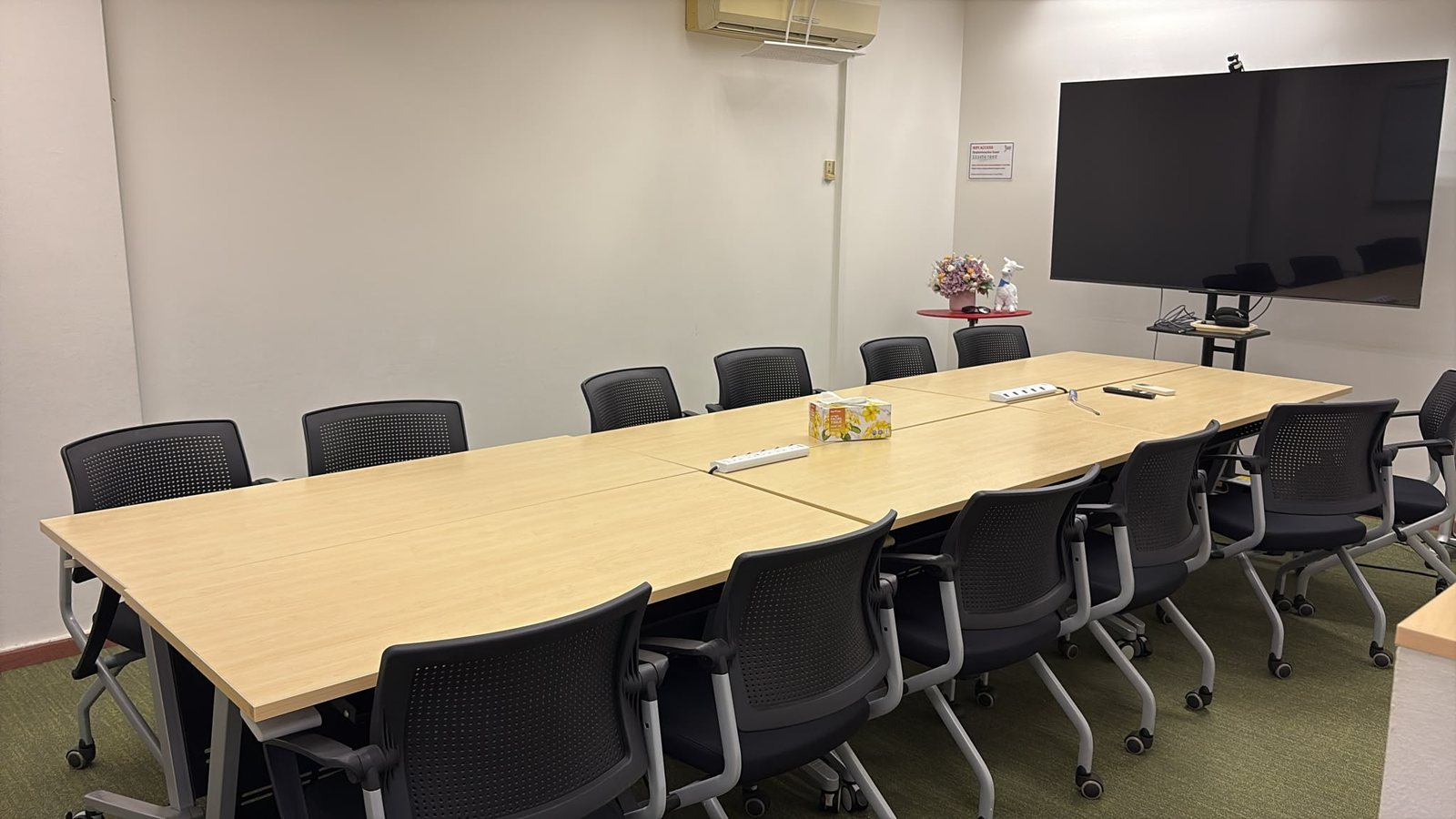
Choose face-to-face, and this is the room.

Online runs on Zoom. Face-to-face runs at Paya Lebar Square — same class, same trainer, same tools, and half an hour more of it in the room.

The face-to-face classroom at Paya Lebar Square, Singapore — tables and chairs set out for a small hands-on class, with a screen at the front.
The face-to-face room — Paya Lebar Square, Singapore.
  • WherePaya Lebar Square

    Singapore. The exact unit and directions are sent to you after you book.

  • Getting thereStraight off the MRT

    Right on top of the Paya Lebar interchange, with the mall underneath for coffee before and lunch after.

  • The roomComfortable

    Three and a half hours is a long time to be at a table. Proper seating, quick Wi-Fi, coffee and tea on tap.

Questions, answered

Do I need any video editing or design experience?
No. The masterclass is built for beginners — you'll learn every tool hands-on from scratch, step by step.
What do I need before the session?
A Google AI Pro subscription (from US$19.99/mo, cancel anytime) for access to Google Flow, plus free accounts for Suno and CapCut, and Zoom to join the live class.
Is the class live or pre-recorded?
Always live and interactive with Dr. Andrew Chew — never a recording. You can sit it online on Zoom, or face-to-face in Singapore. Various dates are available throughout the year.
What's the difference between the online and face-to-face class?
The teaching, the tools and what you walk away with are identical. Face-to-face you get an extra 30 minutes (3.5 hours instead of 3) and Andrew beside you when a shot won't behave. Online you keep your own setup and skip the travel. Online is S$180, face-to-face is S$240.
What if the face-to-face date doesn't fill up?
Face-to-face classes need a minimum number of participants before they can go ahead — we won't run a room for two people. If a date doesn't reach it, we may ask you to move to another date, and everything you've paid carries over to the new one. We'll always tell you early enough to plan around it.
Where is the face-to-face class held?
Paya Lebar Square, Singapore — right on top of the MRT interchange. The exact unit and directions are sent to you after you book.
How big is the class?
It's a hands-on session, so the class deliberately stays small enough that you can ask a question and actually get it answered.
Should I do this class or the Automation one?
Start here. This Level 1 class teaches you to direct each shot yourself, so you understand how the craft works. Level 2 — AI Animation Automation hands the pipeline to Claude and you supervise it, which is what you want once you're producing at volume. There's a full side-by-side comparison further up this page.
Will I actually create a video?
Yes. The session is hands-on — you'll generate video with Flow, music with Suno, and edit it together in CapCut during the three hours.
How much is it and how do I register?
Online is S$180 for three hours live; face-to-face is S$240 for three and a half. Both are 100% hands-on with Dr. Andrew Chew, with follow-up query support after class, and both earn you 10% back in points towards your next class (1 point = S$1). Every open date is listed above and in the Reserve Seat portal — book your seat there and you'll receive your joining details by email.
🎬 Limited seats per session

Ready to create your first AI video?

Join the next live masterclass and walk away with a finished video — made with Flow, Suno and CapCut.

Reserve Seat. Book and Manage Courses.